
Save and reuse a fixture square datum
Keep named XY references for repeat work at different locations on the same machine.
Step by step
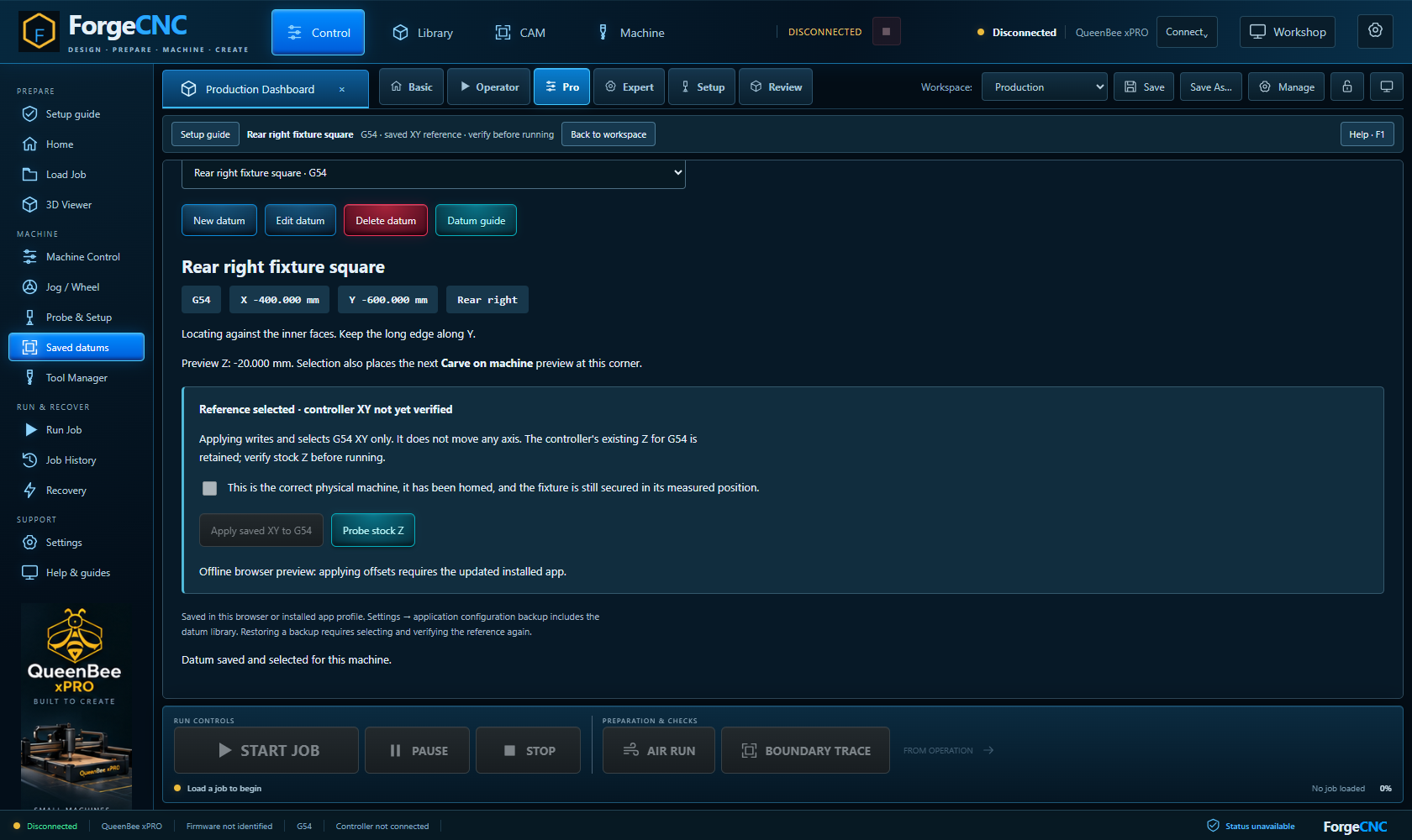
- Secure the fixture square and measure its inner locating corner after homing. Choose how the stock will sit against its two faces.
- Open Saved datums → New datum. Give it a useful name, select G54–G59, enter the corner's machine X and Y, and record fixture notes. Capture reported datum XY only after that reported datum has been correctly established.
- Choose the corner label for your own reference. It does not rotate or mirror the CAM file. Optional Preview Z only changes the offline illustration.
- Save datum. The selected entry is remembered for this machine, and Carve on machine uses it when opened.
- For physical reuse, verify the machine and fixture, home, enable production controls, then explicitly Apply saved XY. This selects the chosen WCS and writes its XY without moving the machine.
- Check that the reported XY matches. Probe the new stock Z, verify tools, and check the current job before Start.
Saved learning progress will be available when accounts open.
Learning progress records reading, not physical commissioning or authorisation to operate.